


Define Derived Parameters
Derived parameters provides the option to define the parameters using expressions based on the use case scenarios.
To define Derived parameters:
-
Click Add Record.
-
In the Add Parameter pop-up, select the checkbox to choose the Derived parameter(s).
-
Click Add.
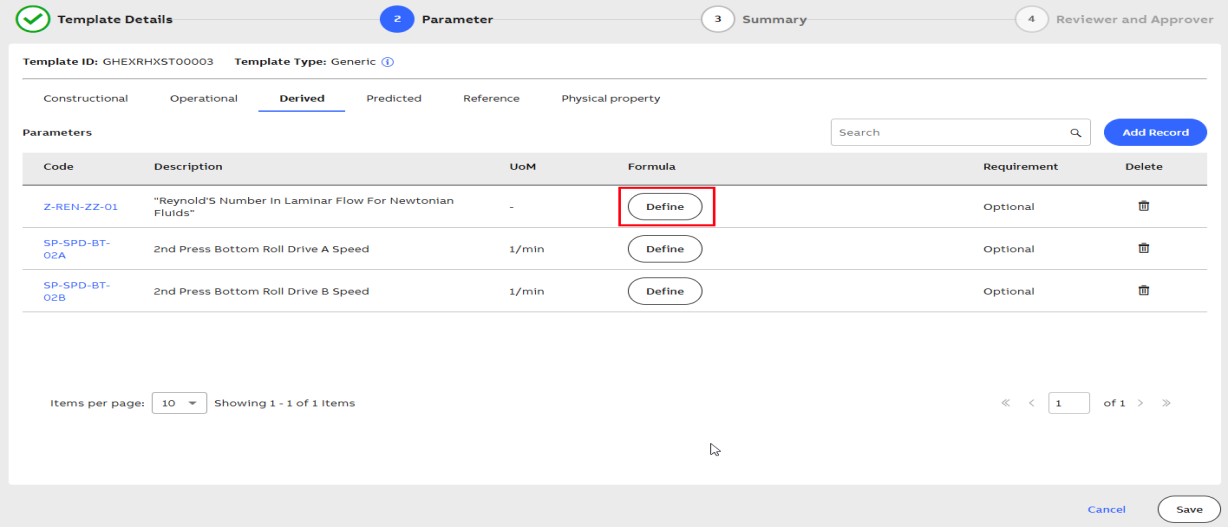
Derived Parameters
-
Click Define.
-
In Expression window, create an expression using the Input Variable, Functions, Operators, and Constants.
For more information about how to create an expression, see section Calculation Engine..
-
To check if the expression is correct, click Validate.
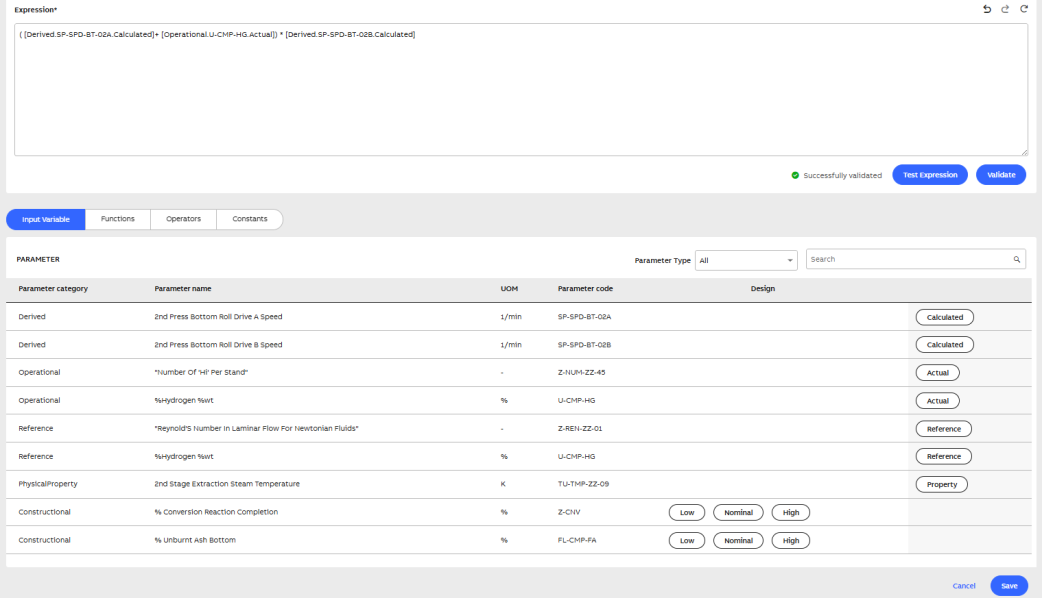
Expression Builder
-
After successful validation, click Test Expression to verify it using sample values.
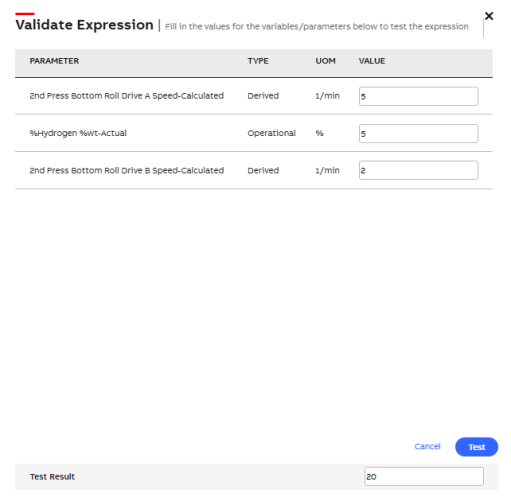
Test Expression
-
Enter the sample values and click Test.
-
Click Save.
-
To define Predicted parameters, click the next tab.
-
Parameters are grouped under five categories: Constructional, Operational, Derived, Predicted, and Physical Property.
-
When adding a record under any category, only unused parameters are shown in the selection list.
-
For example, if a parameter is added under Constructional, it is unavailable for selection in any of the other five categories.
-